Select the filter tab and enter the following : Filter Expression =Weekday(Fields!DateValue.Value,0) Type Integer (to the right of the fx button) Operator < Value 6


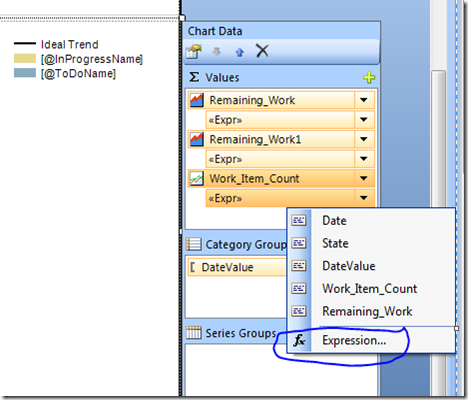
' Define other methods and classes here Function NumberOfDaysToAdjustForWeekends(ByVal valNow as Date, ByVal startOfSprint as Date) AS Int32 Dim valCurrent As Date = startOfSprint Dim weekendDaysPassed As Int32 = 0 Do While valCurrent < valNow valCurrent = valCurrent.AddDays(1) If (valCurrent.DayOfWeek = DayOfWeek.Saturday Or valCurrent.DayOfWeek = DayOfWeek.Sunday) Then weekendDaysPassed = weekendDaysPassed + 1 End If Loop Return weekendDaysPassed End FunctionFinally, add code below into "Work_Item_Count"'s expression
=Code.Burndown ( Sum(Fields!Remaining_Work.Value), Fields!DateValue.Value.AddDays(-Code.NumberOfDaysToAdjustForWeekends(Fields!DateValue.Value, Parameters!StartDateParam.Value)), Parameters!EndDateParam.Value.AddDays(-Code.NumberOfDaysToAdjustForWeekends(Parameters!EndDateParam.Value, Parameters!StartDateParam.Value)))